
Audio Converter for Windows4.3.0 - Download
You'll be able to download in few seconds.
Publisher Description
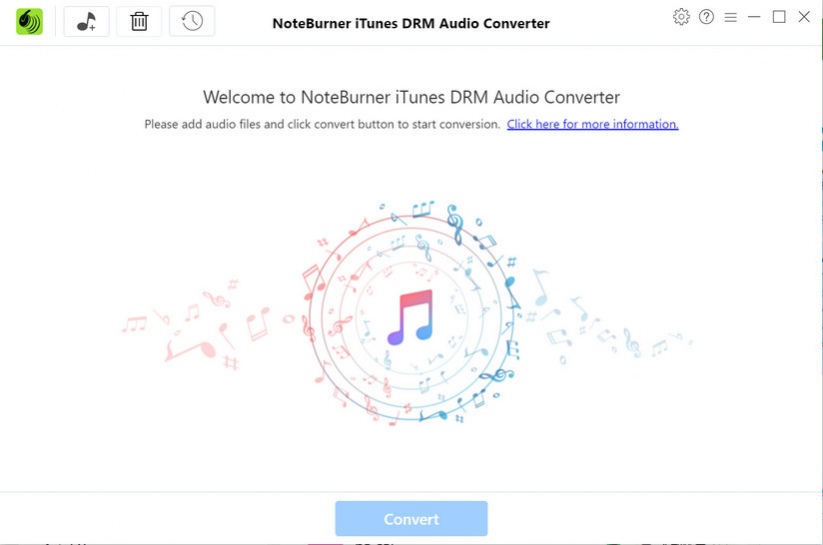
Audio Converter for Windows is a professional Audio Converter which can help you convert Apple Music, podcast, M4A/M4B/AA/AAX audiobooks and M4P audio files to MP3, WAV, M4A, AIFF, and FLAC format. While converting, Audio Converter will mute iTunes to play the music tracks silently in the background and record audio files at 10X faster speed. Even with such high speed, the output audio can be converted with high lossless quality. And all the ID tags, such as title, cover, artist, album, album artist, composer, genre, year, and track number, will be preserved in the output audio files. Audio Converter is also a 100% clean program, with no need to install any extra hardware or virtual drivers, and it supports burning Apple Music to CD, uploading and sharing music, editing tags, as well as playing music. With Audio Converter, you can play your audio files on the popular devices off-line, such as iPad Pro, iPad mini 4, iPad Air 2, MP3 Player, Android devices, Windows devices and more portable devices.
About Audio Converter for Windows
This Rippers & Converters program is available in English, Arabic, Azerbaijani, Basque, Bulgarian, Catalan, Chinese, ChineseSimplified, ChineseTraditional, Croatian, Czech, Danish, Dutch, Finnish, French, Galician, Georgian, German, Greek, Hebrew, Hindi, Hungarian, Indonesian, Italian, Japanese, Javanese, Korean, Lithuanian, Macedonian, Malay, Maltese, Norwegian, Persian, Polish, Portuguese, Romanian, Russian, Slovak, Slovenian, Spanish, Swedish, Tamil, Thai, Turkish, Ukrainian, Vietnamese. It was last updated on 29 September, 2026. Audio Converter for Windows is compatible with the following operating systems: Other, Windows.
The company that develops Audio Converter for Windows is NoteCable Inc.. The latest version released by its developer is 4.3.0.
The download we have available for Audio Converter for Windows has a file size of 113.4 MB. Just click the green Download button above to start the downloading process. The program is listed on our website since 2021-05-31 and was downloaded 0 times. We have already checked if the download link is safe, however for your own protection we recommend that you scan the downloaded software with your antivirus. Your antivirus may detect the Audio Converter for Windows as malware if the download link is broken.
How to install Audio Converter for Windows on your Windows device:
- Click on the Download button on our website. This will start the download from the website of the developer.
- Once the Audio Converter for Windows is downloaded click on it to start the setup process (assuming you are on a desktop computer).
- When the installation is finished you should be able to see and run the program.
Program Details
General
System requirements
Download information
Pricing
Version History
version 4.3.0
posted on 2021-05-31
1. Support dark & light modes. 2. Support outputting songs in the same order as the original playlist. 3. Optimize the conversion speed. 4. Support converting podcasts. 5. Fix some minor bugs.
version 4.2.1
posted on 2021-04-06
1. Support adding music by drag and drop. 2. Fix some minor bugs.
version 4.2.0
posted on 2021-01-13
1. Support the hotfix. 2. Optimize the interface UI for Settings. 3. Add AIFF output format. 4. Support the feature of "put system to sleep" after conversion.
version 4.1.2
posted on 2020-11-17
1. Fix the issue regarding missing tags. 2. Fix the issue regarding error 1004. 3. Support the feedback. 4. Fix some minor bugs.
version 4.1.1
posted on 2020-09-04
1. Fix the issue of output audios containing silence or noise. 2. Fix the issue that the speed of the converted files is different from the original ones. 3. Support keeping composer, AlbumArtist, and comment in ID3 tags.
version 4.1.0
posted on 2020-06-17
1. Support keeping Album Artist, Composer, Genre tags in output AAC and MP3 files. 2. Fix the conversion failure issue in some circumstances, including Error 1001. 3. Optimize the program interface. 4. Fix the issue of app initialization failure.
version 4.0.4
posted on 2019-12-20
1. Fix crashing issue under certain circumstances.
version 4.0.3
posted on 2019-12-05
1. Display covers for converting and converted files. 2. Support deleting converted files in batch. 3. Add the feature of displaying converted files by Time or Artist.
version 4.0.2
posted on 2019-10-11
1. Fix the crash problem in some circumstances.
version 4.0.1
posted on 2019-09-18
Disclaimer
External Download
We do not host Audio Converter for Windows on our servers. We did not scan it for viruses, adware, spyware or other type of malware. This app is hosted by the software publisher and passed their terms and conditions to be listed there. We recommend caution when installing it.
The external download link for Audio Converter for Windows is provided to you by apps112.com without any warranties, representations or guarantees of any kind, so access it at your own risk.
If you have questions regarding this particular app contact the publisher directly. For questions about the functionalities of apps112.com contact us.
